Network Packet Analysis
October 10, 2025 • Traffic Analysis

Packet-capture analysis of staged incident data (HTTP, RDP, SSH): identification of file transfer, remote access, and exfiltration indicators.
Network Packet Analysis
Overview
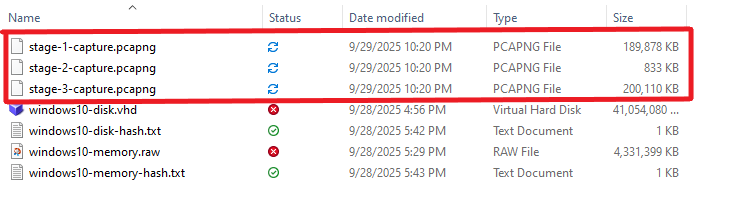
This document continues the forensic investigation series and focuses on packet-capture analysis. Earlier stages covered initial triage and memory acquisition. Here we analyze three packet captures (stage-1-capture.pcapng, stage-2-capture.pcapng, stage-3-capture.pcapng) to identify attacker network activity, commands-and-control (C2) communication, and indicators of file transfer or exfiltration.
References
Environment & Data
The provided forensic artifacts include:
- Disk images
- Memory dumps
- Packet captures (three stages)
Screenshots from the evidence repository:
Methodology
- Open each capture in Wireshark (version used for this write-up: Wireshark).
- Identify protocols and session boundaries (TCP handshakes, version exchanges, key-exchanges).
- Filter traffic by protocol and host IPs of interest (
192.168.10.6Windows host,192.168.10.7suspected attacker/C2). - Note file transfer artifacts, large payloads, and remote access sessions.
Stage 1: stage-1-capture.pcapng
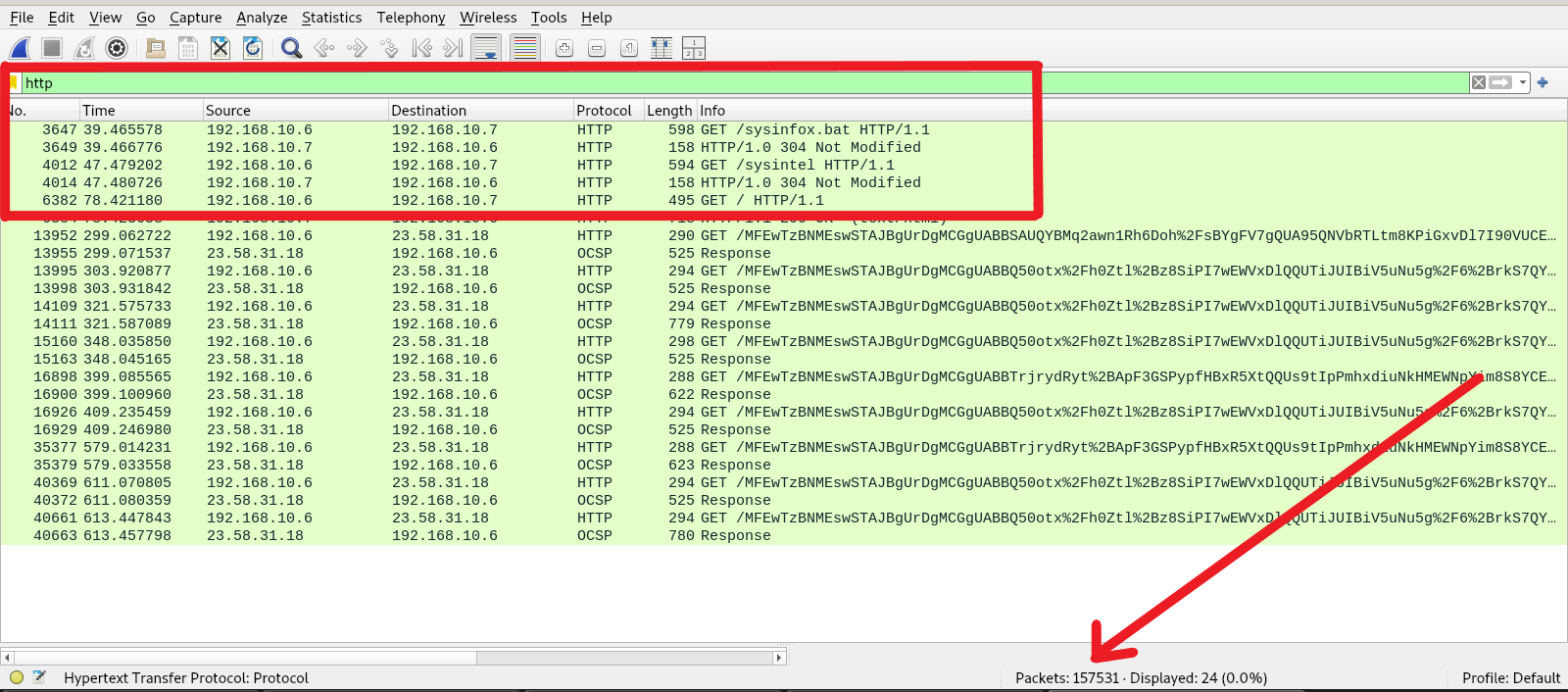
Summary: This capture contains a large volume of HTTP and RDP traffic. Filtering the HTTP flows revealed downloads from the host 192.168.10.7 over a nonstandard port (8000), consistent with a simple HTTP file server (for example, python3 -m http.server).
Screenshots:
Findings
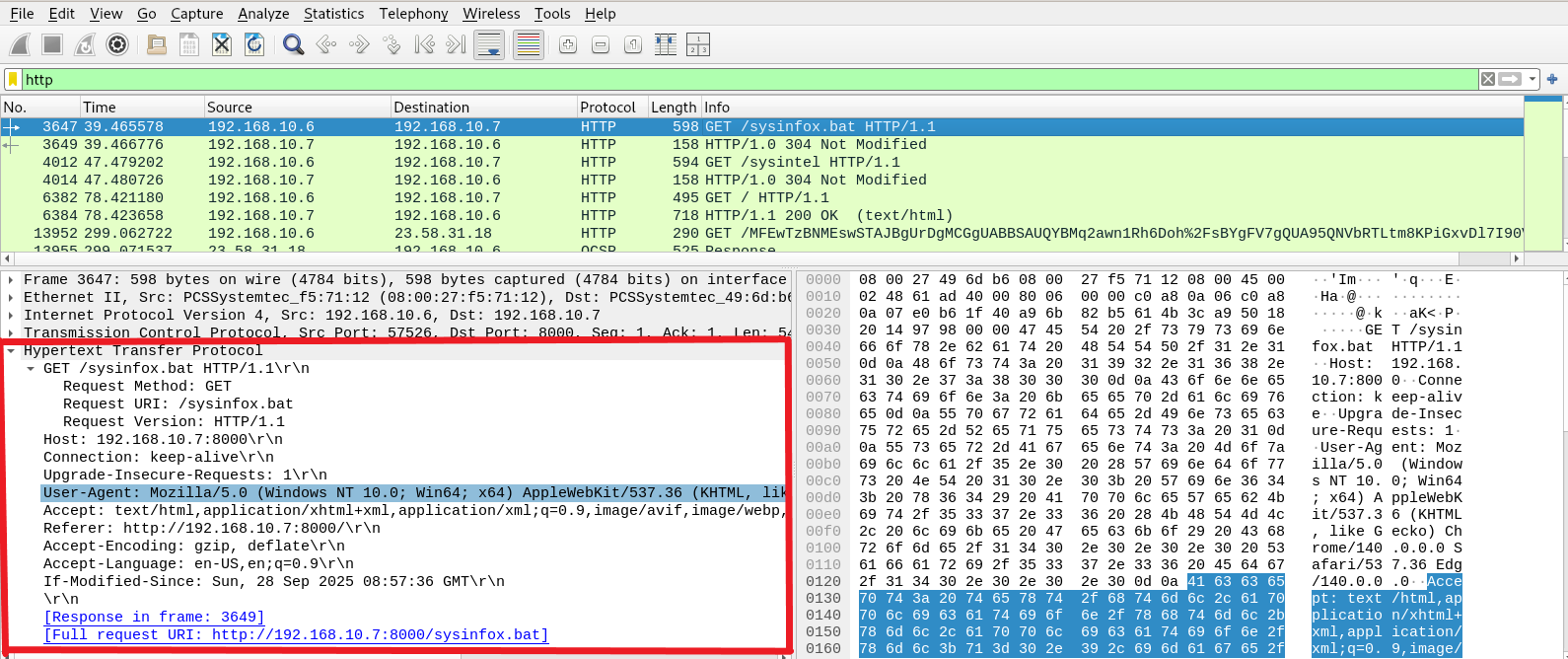
- Multiple HTTP GET requests from the compromised host to
192.168.10.7. - Artifacts of interest:
sysinfo.batdownloaded via HTTP from port8000.
- Additional tool/utility downloaded from the same server.
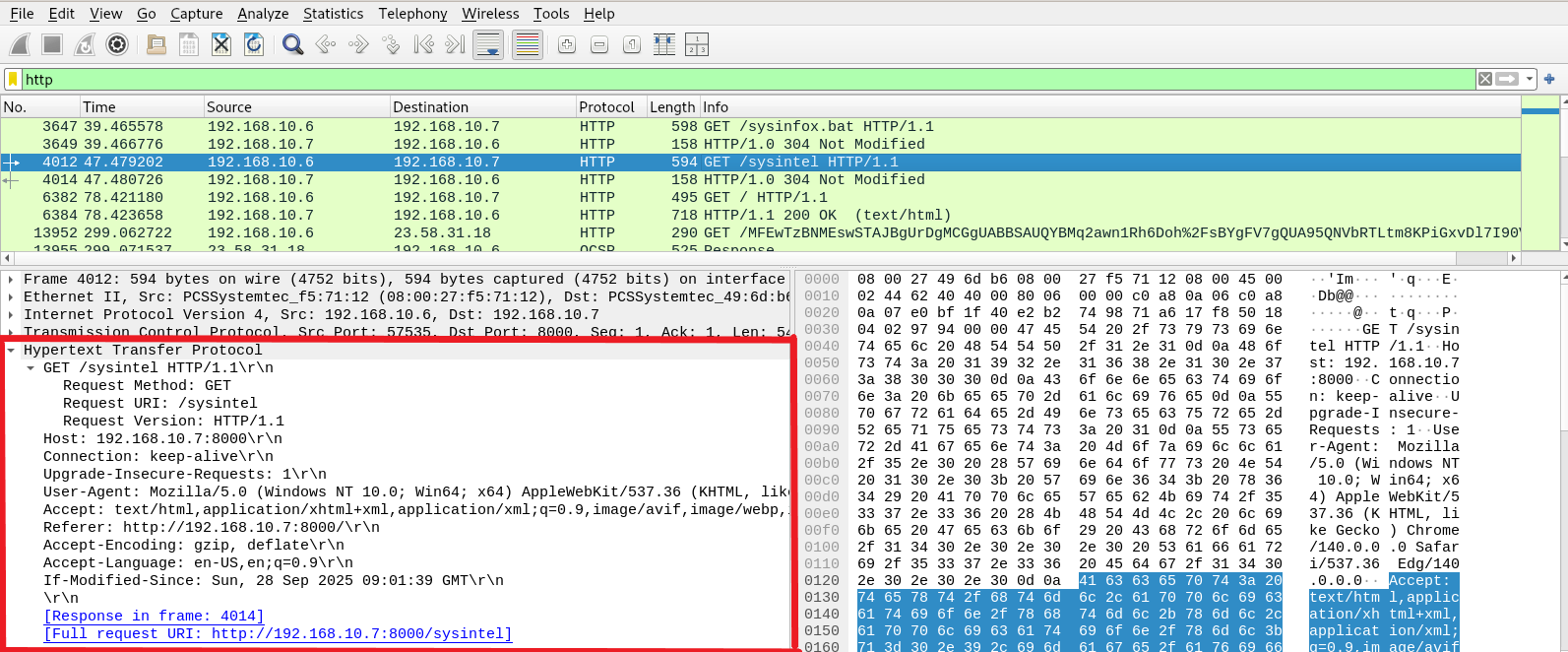
- Only the two downloads were observed between the infected host and the remote server within the filtered HTTP timeline.
Interpretation
The attacker likely hosted reconnaissance or post-exploitation tools on a simple HTTP server and retrieved them to the compromised host. This pattern is consistent with an attacker using python -m http.server or similar to distribute scripts and binaries to the target.
Remote Desktop Protocol (RDP) Observations
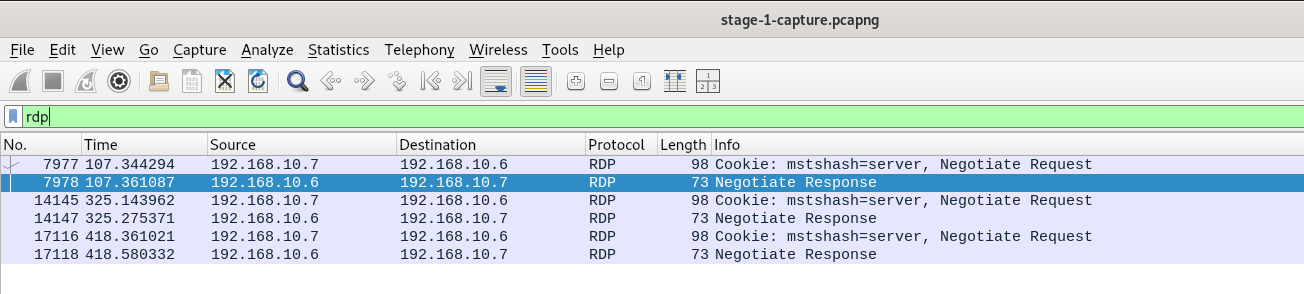
Evidence in Stage 1 shows several RDP session attempts originating from 192.168.10.7. These connections may represent the initial access vector or a later lateral/administrative access step. We will corroborate RDP usage with Windows event logs in the host for explicit logon events and user activity.
Screenshot:
Stage 2: stage-2-capture.pcapng (SSH Traffic)
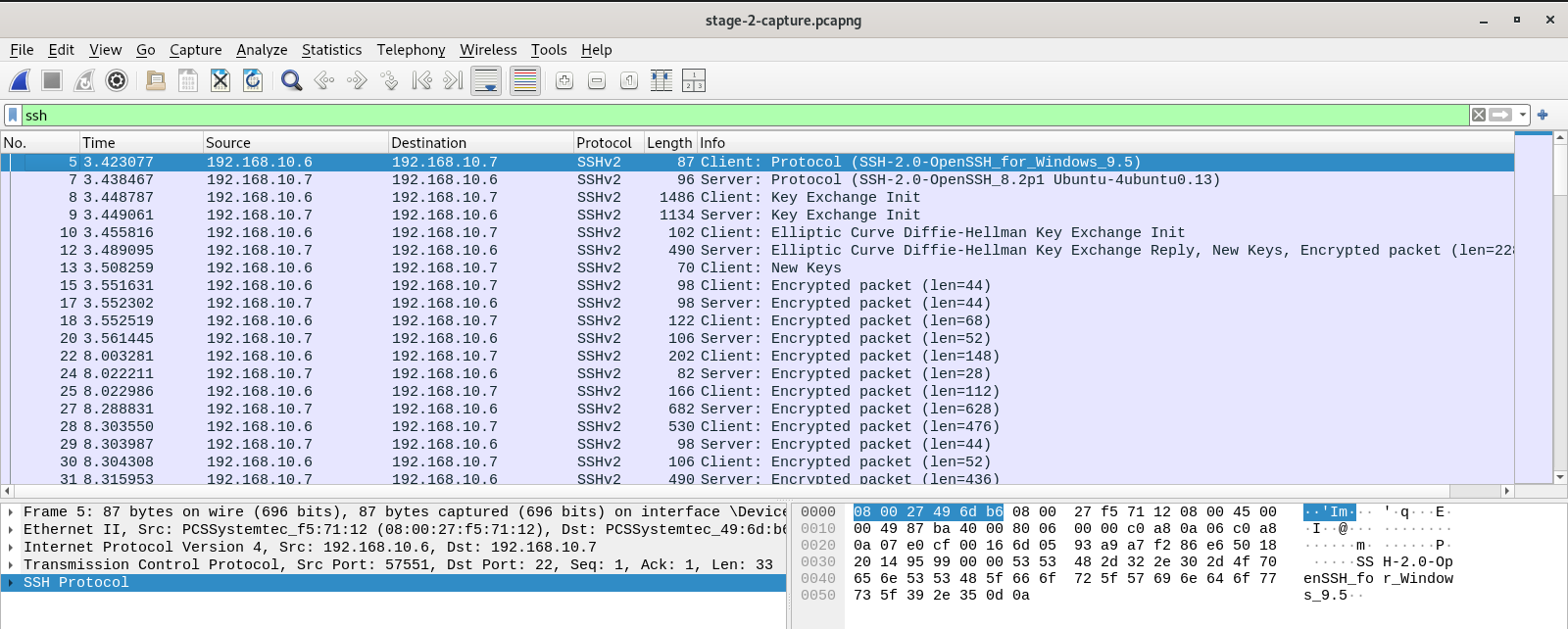
Summary: The second capture is dominated by SSH traffic. Because SSH uses encrypted channels (ECDH key exchange is present), payloads are not directly readable from the pcap. However, protocol metadata and packet sizes provide strong clues about the activity.
Screenshot:
Key protocol observations
- Client identification:
SSH-2.0-OpenSSH_for_Windows_9.5 - Server identification:
SSH-2.0-OpenSSH_8.2p1 Ubuntu-4ubuntu0.13 - Key exchange: Elliptic-Curve Diffie-Hellman (ECDH). This implies ephemeral session keys host private keys do not permit decryption of packet payloads for SSH‑2/ECDH sessions.
Notable packet patterns (examples from the capture)
- Protocol/version exchanges (client & server identification).
- KEX (Key Exchange Init) messages from both sides, followed by
New Keysmessages indicating transition to encrypted channel. - Encrypted data packets with variable sizes:
- Small packets (36–76 bytes): likely control messages, window updates, or small channel data.
- Medium to large packets (hundreds of bytes): consistent with file chunks, SFTP/SCP transfers, or streaming output (for example,
len=1106,len=682,len=530).
Interpretation
Packet directionality and payload sizes indicate a request/response pattern consistent with either an interactive shell or a file transfer. Given the context (downloads and attacker tooling in Stage 1), the SSH traffic is likely used for exfiltration or further remote control — for example, transferring data from the Windows host to the remote server or vice versa.
Evidence of multiple sessions
- The capture shows another protocol/version exchange and KEX at later timestamps (48.7s), indicating a separate SSH connection or a reconnection event. Check TCP SYN/ACK events around those timestamps to determine whether this was rekeying or a new TCP session.
Stage 3: stage-3-capture.pcapng
Summary: The final capture reaffirms the prior observations: further RDP connections and the same HTTP/SSH activity patterns. No additional distinct protocols were detected beyond the previously noted services.
Conclusion
From the three packet captures we derive the following consolidated view:
- Initial access and tooling: Attacker hosted and delivered tools via a simple HTTP server (port 8000). Downloaded file
sysinfo.batis a confirmed artifact. - Remote access: RDP sessions originating from
192.168.10.7likely used for interactive remote control or lateral movement. Correlate with Windows event logs (Event ID 4624 for successful logon and 4625 for failed attempts) to identify user account usage and timestamps. - Encrypted exfiltration / control: SSH (ECDH) sessions between the host and
192.168.10.7. Packet sizes and patterns strongly suggest file transfer(s) or interactive shell usage. Because ECDH is used, decryption requires session secrets (extracted from process memory) or a live client-side keylog; the server host key alone cannot decrypt the session.